Adding subusers to your server
Subuser are users who have partial access to your server. Perhaps you have server admins who you want to be able to access server files but not allow them to change the server settings. Or maybe you want to give a friend complete access to the server. This could be done by adding a subuser to your server.
Adding a subuser
On the "Users" tab on the Lime panel, click the "Add User" button. You will be presented with a form to add a new user. You can also limit access by selecting what permissions you want them to have access to. Below is a visual example.
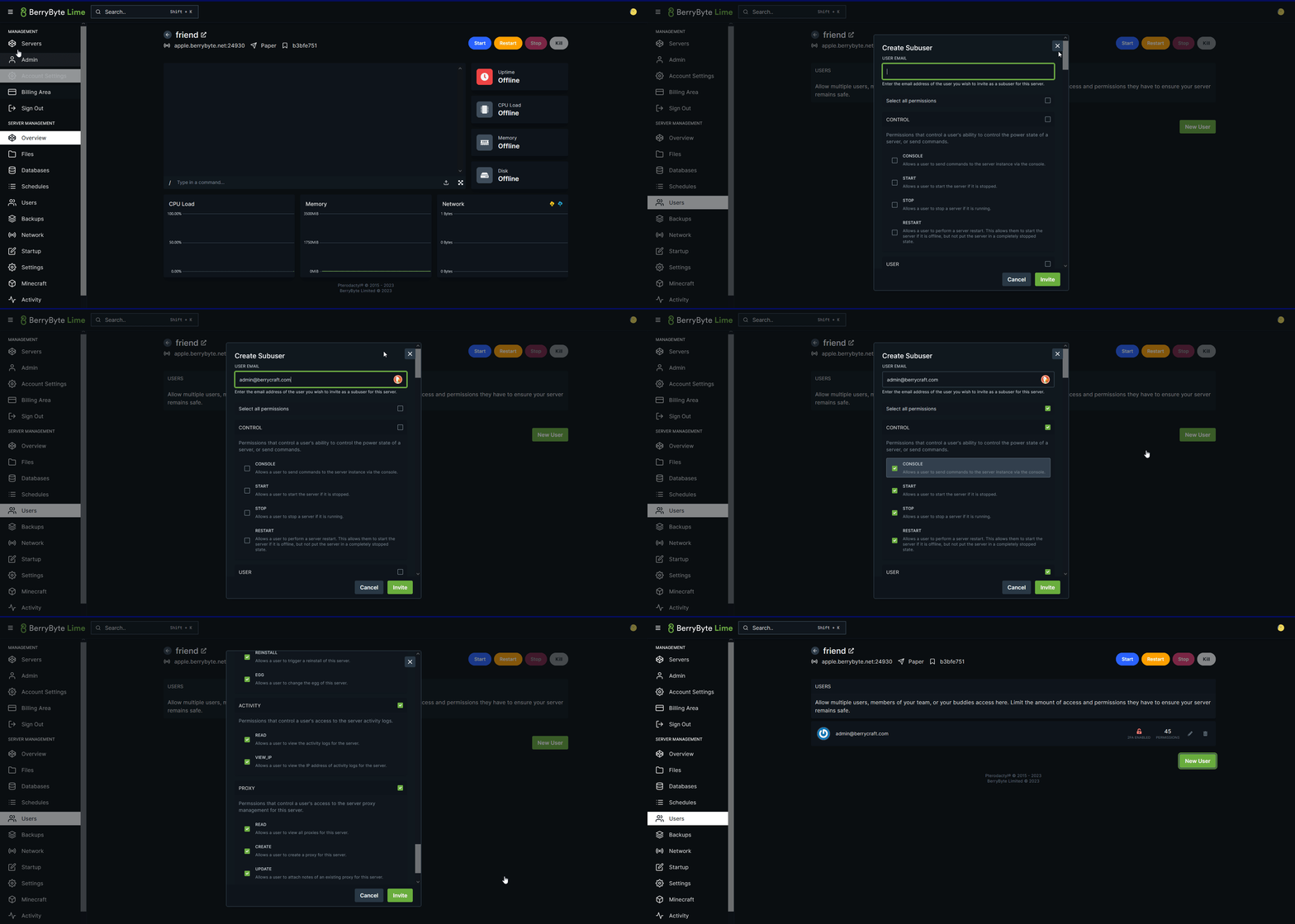
Once added, the user will be added to your server and their credentials will be sent via email. If they haven't gotten any email, ask them to reset their password by going through the "Forgot Password" steps.
You'll be able to manage their permissions or revoke them at any time. Their actions are also logged on the Activity tab where you can view what changes or their activity on the panel. Any questions, feel free to make a ticket (opens in a new tab) or ask in our community Discord (opens in a new tab) server.